
Checks
Planning application validation checklist
See which documents your council requires for your scheme, local and national, and where your pack falls short.
In short
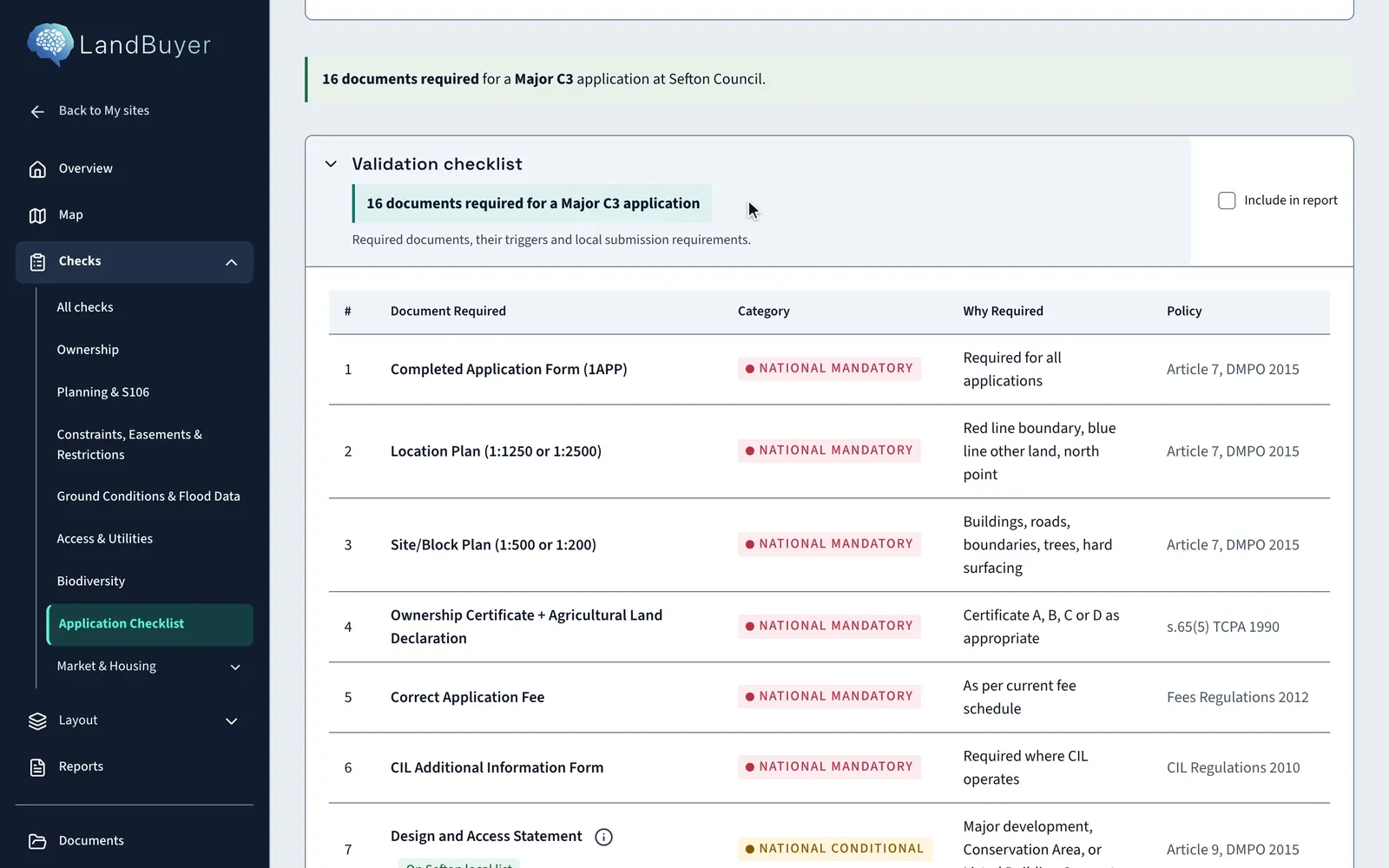
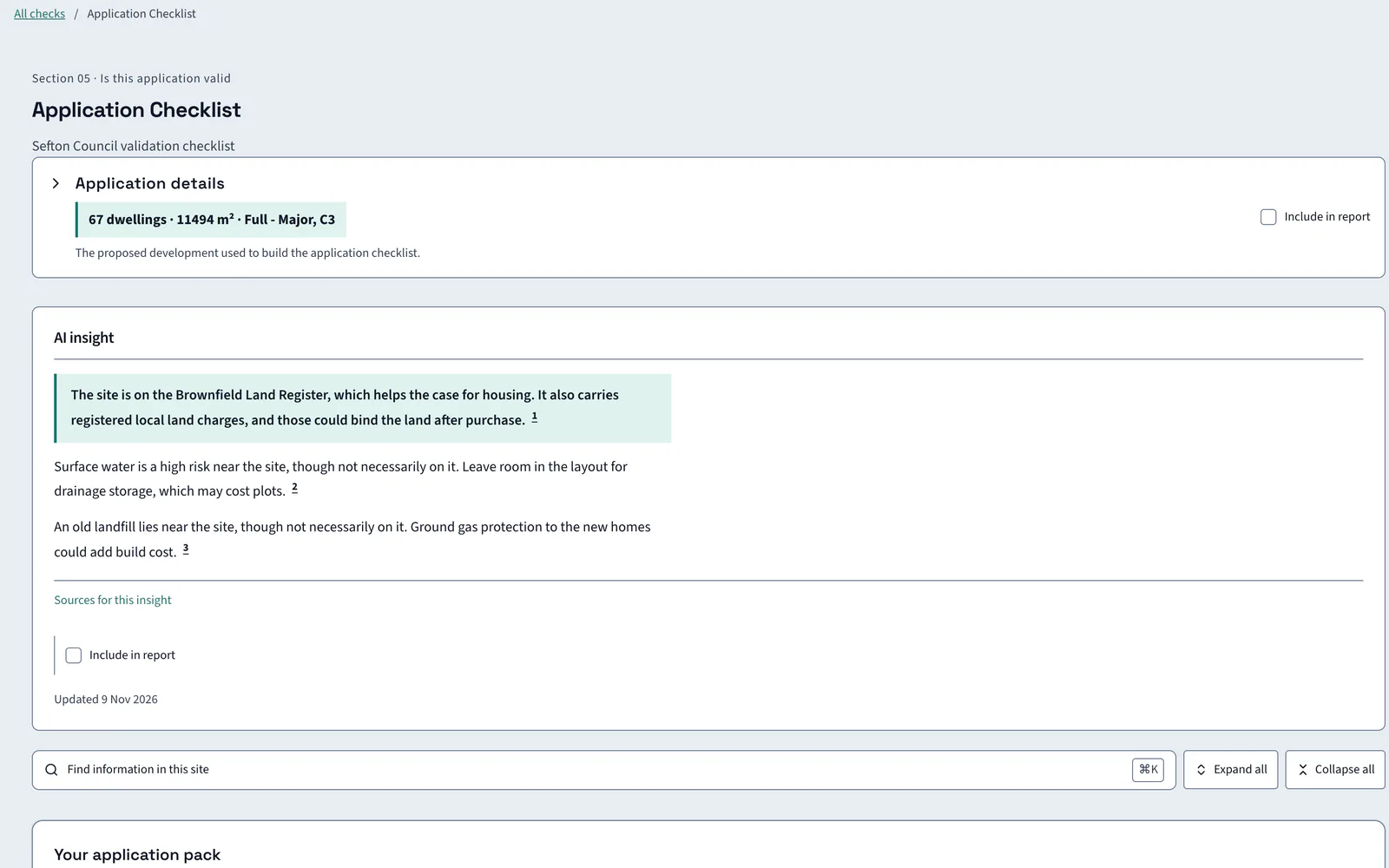
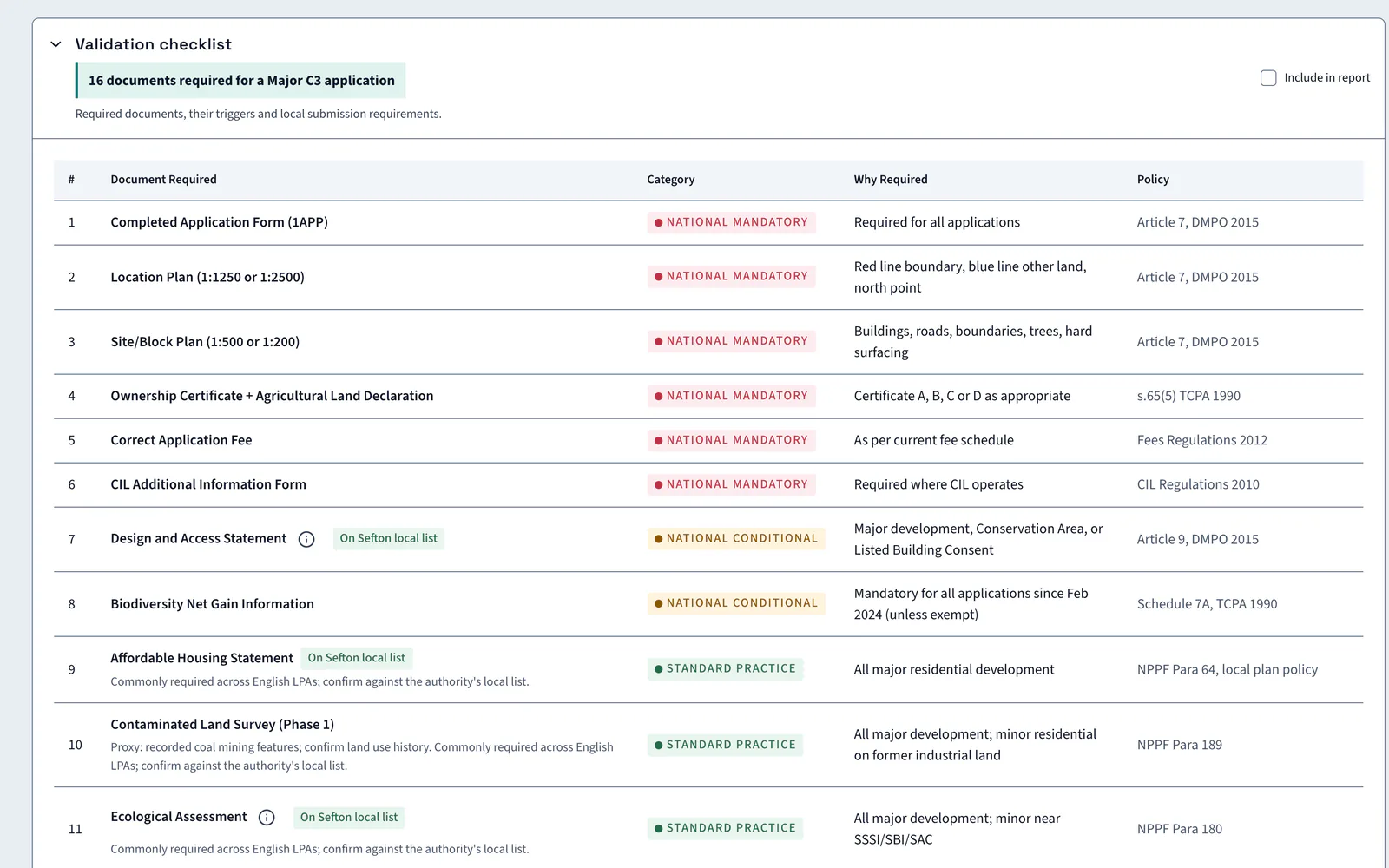
LandBuyer AI builds the validation checklist from your proposal: dwelling count, floor area, application type and use class. It sets the council's local list beside the national baseline documents and adds triggers found by the other checks. On Kew Yard it lists 16 local checklist items and 6 national documents.
What it covers
What our validation checklist covers
| Item | Source type | What you see |
|---|---|---|
| Application details | Your proposal | The dwelling count, floor area, application type and use class the checklist is built from |
| Local validation list | Council validation checklist | The council's own list of documents, with the trigger for each |
| National baseline documents | National validation requirements | The baseline documents that apply to every application |
| Items beyond the standard list | Council local list | Local items that go beyond the standard checklist |
| Application pack | Document list generated from your proposal | The documents the pack needs, such as site location and proposed plans and a contamination assessment |
| Auto-detected site triggers | Site constraint screening | Triggers drawn from the other checks, such as former industrial or landfill use nearby |
| Items to confirm | Council validation page | Documents the source did not confirm, flagged to check with the planning authority |
| Viability assessment | National planning policy | Whether one is required, with the policy reference |
Official guidance Making an application: validationPlanning Portal
On Kew Yard
A checklist built from the proposal
The Kew Yard checklist starts from 67 dwellings and 11,494 m², a full major application.
AI insight
The evidence lists 16 local checklist items for Sefton alongside 6 national baseline documents. The application pack would need to be tested against both sets, so any gap is a validation and programme risk.
In the report
The checklist goes into the report
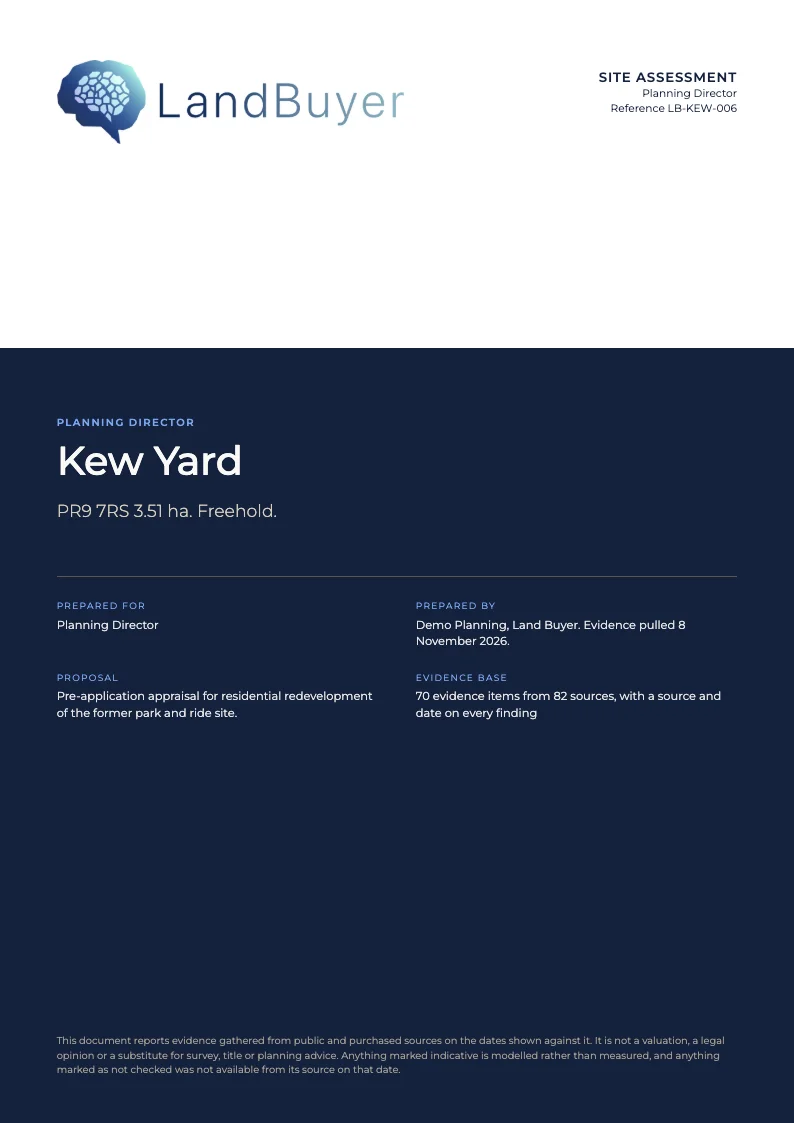
Tick Include in report on the validation checklist or on any card. The documents required and the items to confirm go into the planning appraisal, so the team sees the programme risk before submission.
FAQ
Validation checklist questions
Short answers to what land teams ask us before a demo.
What is a planning application validation checklist?
It is the list of documents a council requires before it registers an application. A national baseline applies everywhere, and each council adds a local list. LandBuyer AI shows both for your authority.
How does LandBuyer AI build the checklist?
From the proposal on your site: dwelling count, floor area, application type and use class. It then adds triggers found by the other checks, such as former industrial or landfill use nearby.
Can I rely on it to validate an application?
No. It is for guidance. Confirm requirements with the planning authority before submission, because some triggers need professional judgement, such as heritage setting and ecological impact zones.
Does it say whether a viability assessment is needed?
Yes. It states whether one is required and the policy reference. On Kew Yard it is not required unless viability is challenged, under paragraph 58 of the national planning policy framework.
Keep exploring