
Features
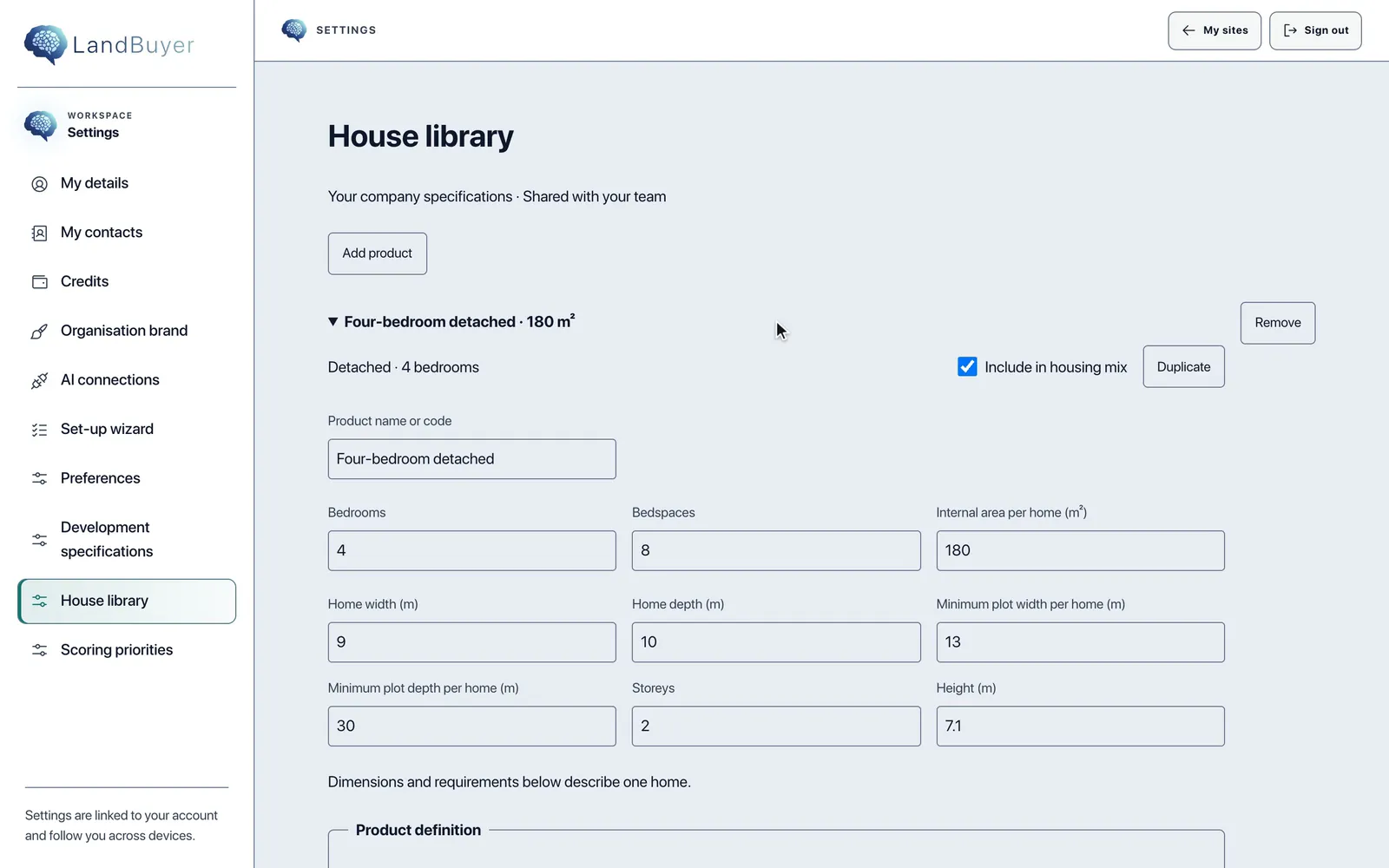
Your house type library and settings
House types, site specification, report brand and scoring priorities, set once for every site.
In short
LandBuyer AI keeps your company settings in one place. The house library holds your house types with floor areas, the site specification sets how layouts are drawn, the report brand sets every cover, and scoring priorities weight each site score. The AI plot builder, the score and the report builder use them on every site.
What it covers
What the customisation covers
| Item | Source type | What you see |
|---|---|---|
| House library | Your house types | Each house type with its floor area, storeys and whether it is in the mix |
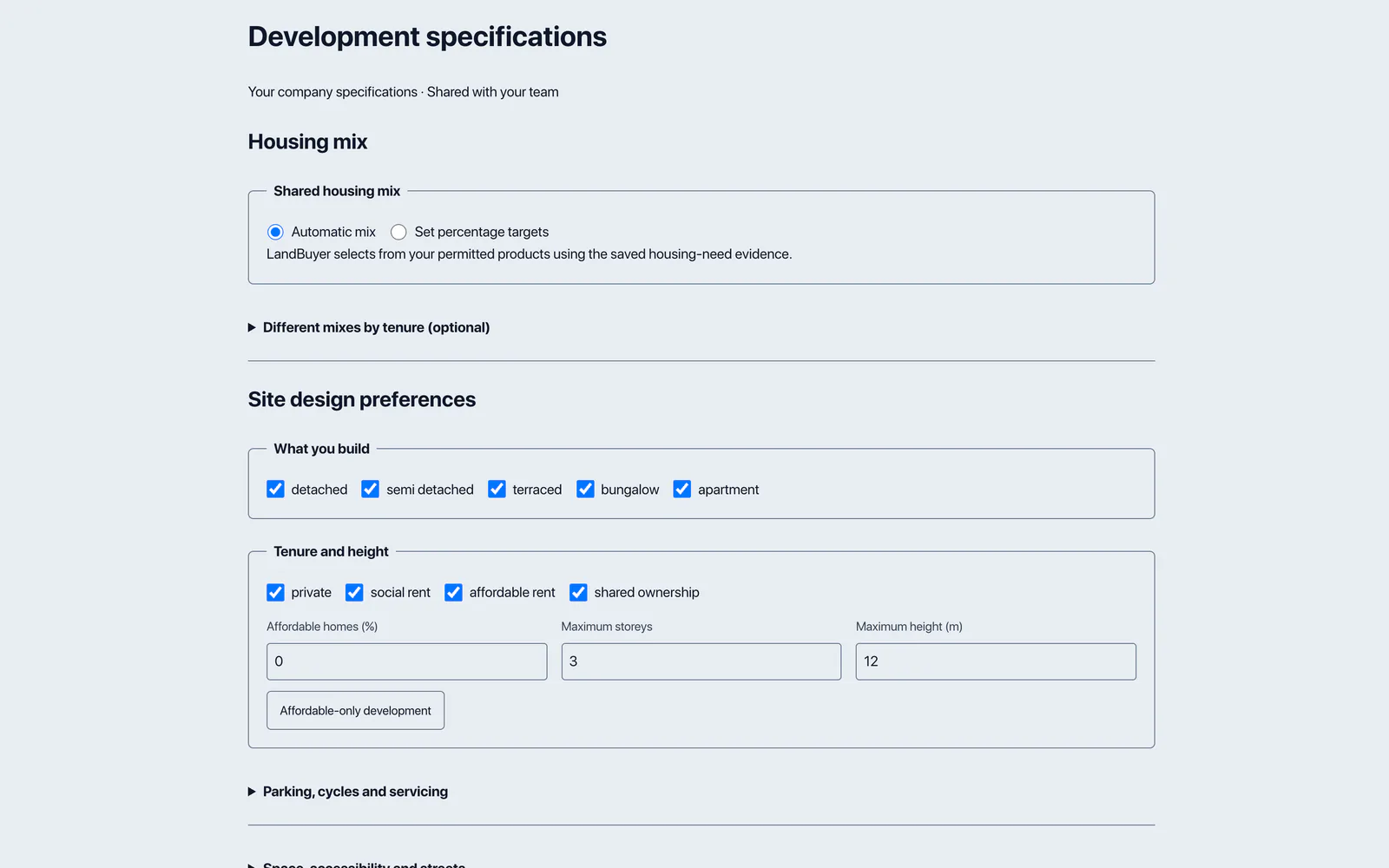
| Site specification | Your settings | The rules the AI plot builder lays out each site with |
| Report brand | Your settings | The brand on every report cover and page |
| Scoring priorities | Your settings | The weight each module carries in the site score |
| Writing brief | Your settings | The depth and tone each report is written in, such as detailed and plain English |
| Reader setup | Onboarding | The reader checks and reports are framed for, such as land buying, lender or housing association |
On Kew Yard
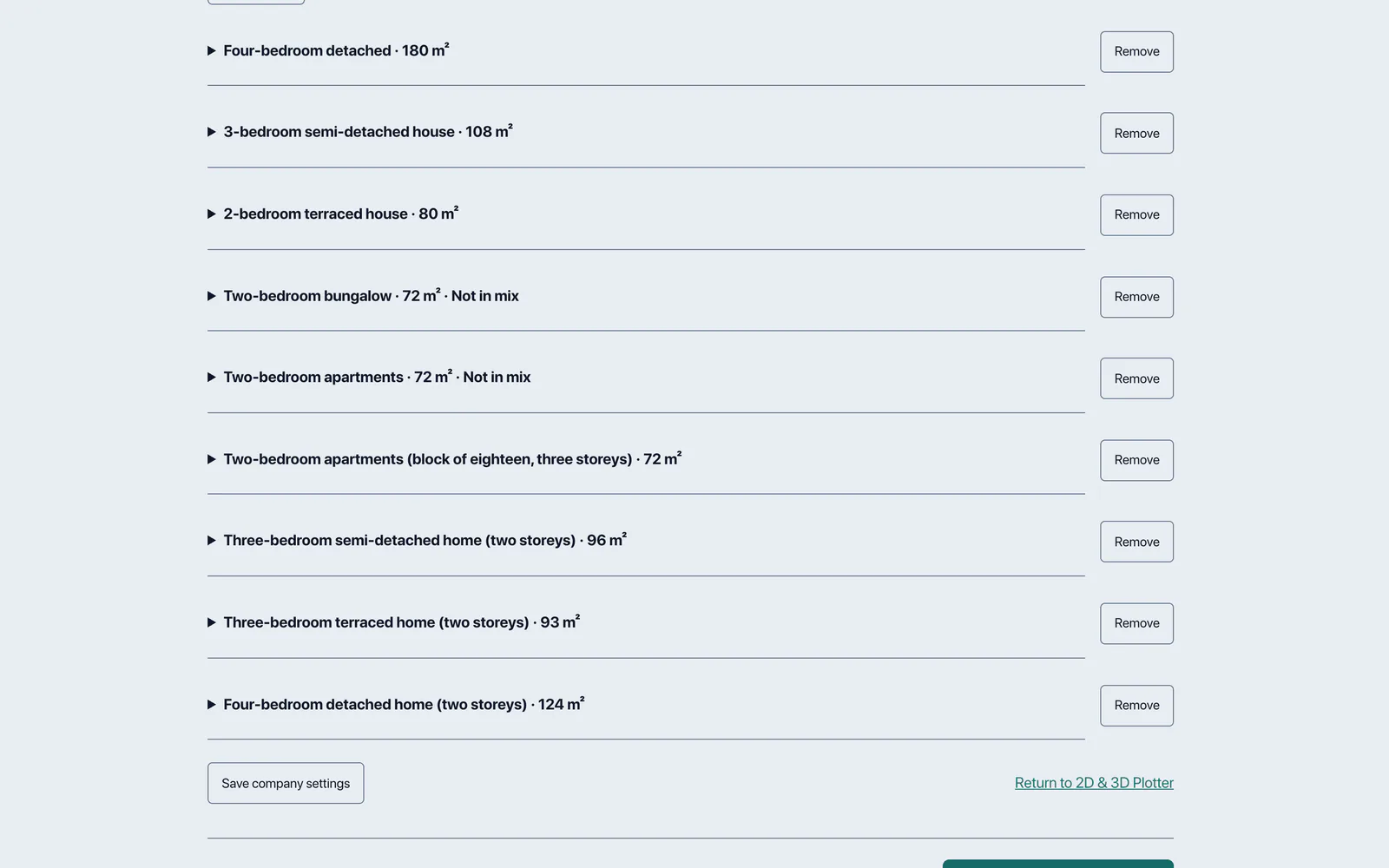
Nine house types, ready for every layout
This company house library holds nine house types, from 72 to 180 square metres, with two marked not in mix.
AI insight
The adopted plan requires schemes of 15 or more net additional dwellings to contribute to affordable housing. Whether the concept layout triggers this depends on its net dwelling count, which this evidence does not establish.
In the report
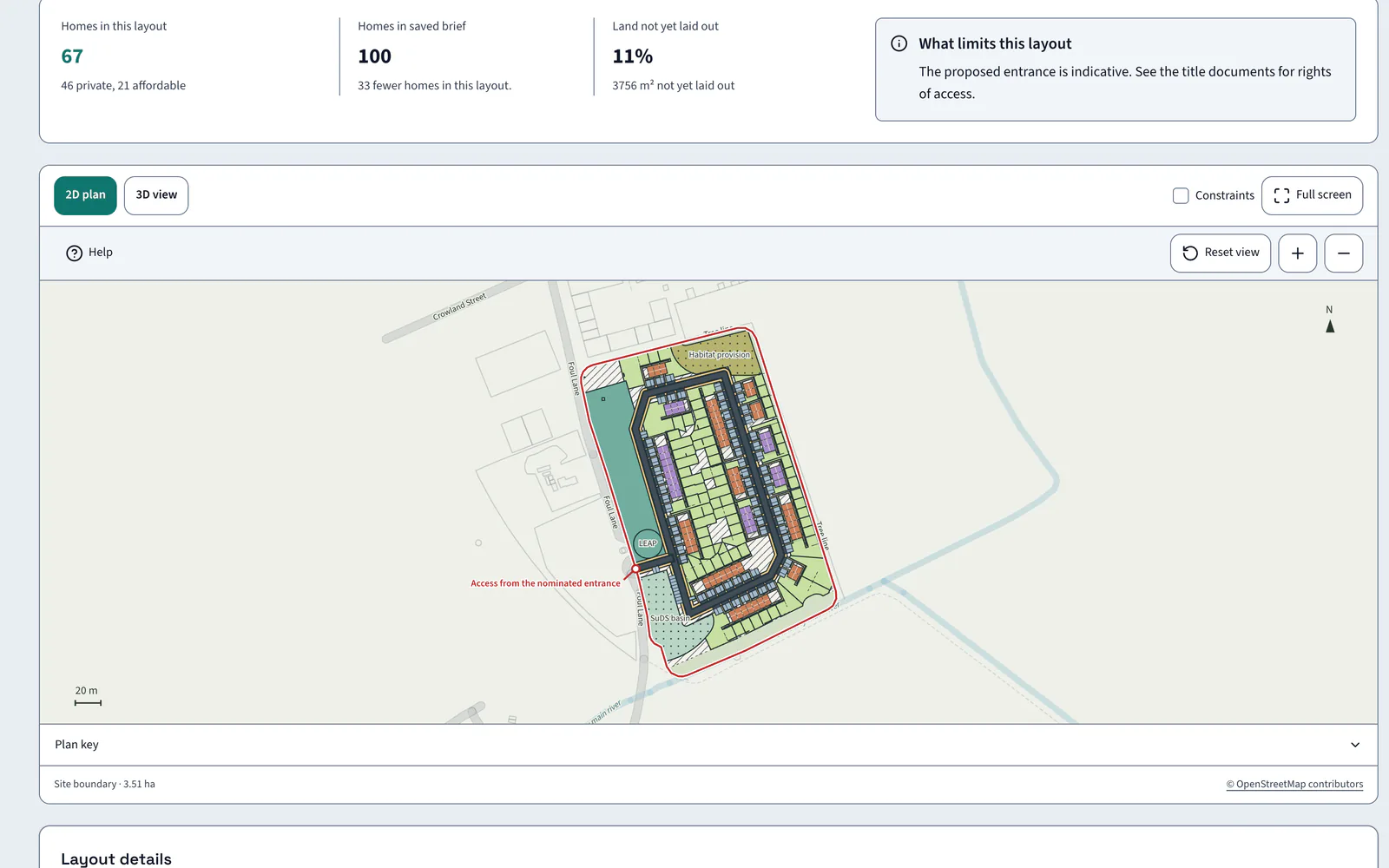
Your settings shape the layout
The AI plot builder places your house types to your site specification. On Kew Yard that gives 67 homes, 46 private and 21 affordable, at 19.1 per hectare.
FAQ
Customisation questions
Short answers to what land teams ask us before a demo.
Can we add our own house types?
Yes. Add house types with floor areas, including CAD uploads, and mark which are in the mix. The AI plot builder uses them.
Do our settings apply to every site?
Yes. Save company settings once and every layout, score and report uses them, on every site your team adds from then on.
Can LandBuyer AI be changed further?
Yes. Each company has its own instance. Our developers make smaller changes for free and quote once for larger ones.
Does the site specification change the layout?
Yes. The AI plot builder applies your site specification to every layout it draws, alongside the house types you keep in the mix, so each indicative layout reflects how your company builds homes.
Keep exploring