
Features
Your land pipeline and team in one place
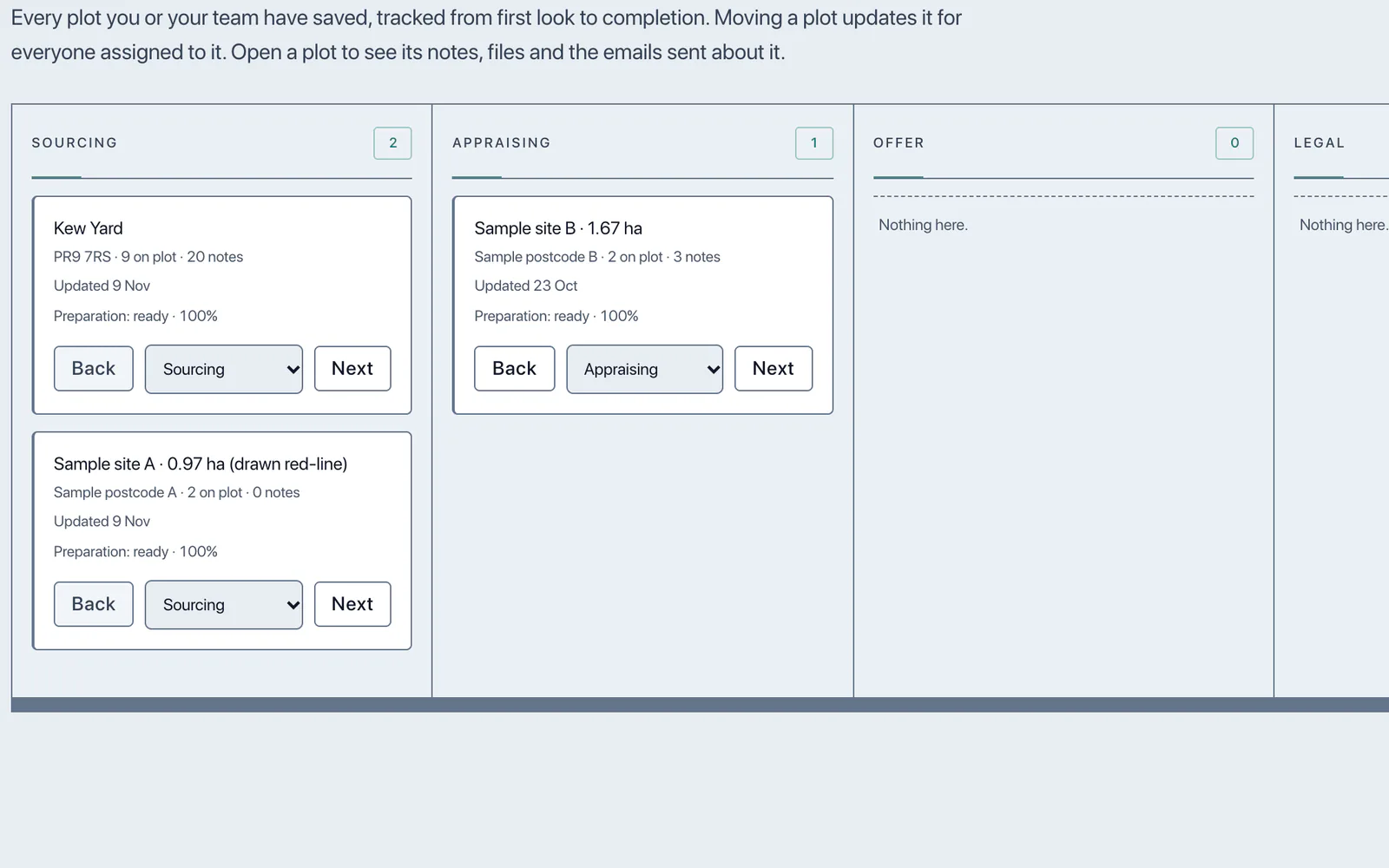
Every site on one board, with the notes, files and emails for each kept where the whole team can see them.
In short
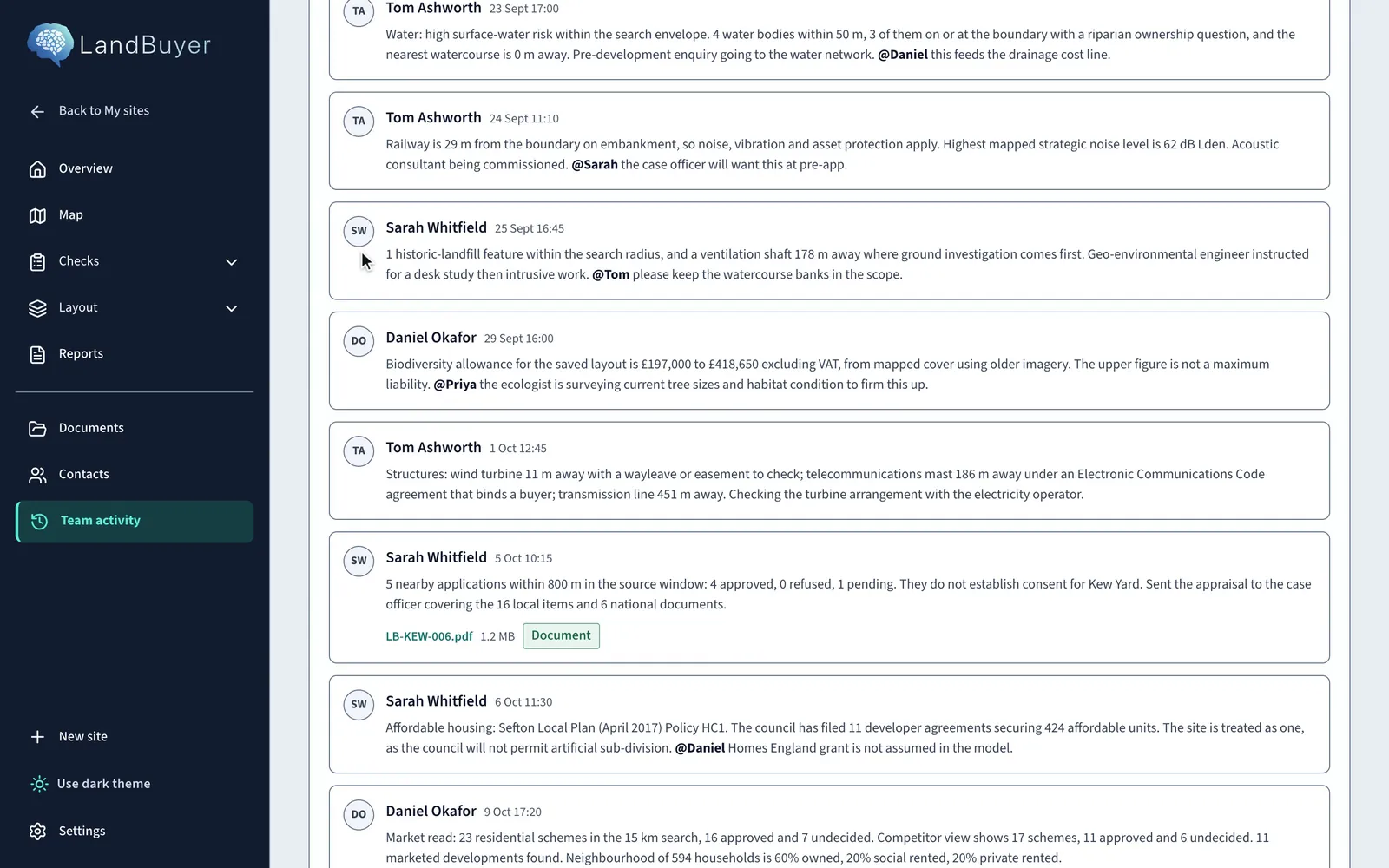
LandBuyer AI keeps your team's sites on one pipeline board and the work on each site in team activity. Notes, mentions and files sit on the site with the people working on it, and the Email tab sends a message to a contact or any address, with a saved report or the AI summary attached as a PDF.
What it covers
What the team activity and pipeline covers
| Item | Source type | What you see |
|---|---|---|
| Pipeline board | Your team's sites | Every saved site in stages from sourcing and appraising to offer and legal |
| Notes and mentions | Your team | Notes on each site, with mentions that bring a colleague in |
| Files | Your team and reports | Documents attached to notes and saved to the site |
| People | Your team | Everyone working on the site |
| Your contacts | A message to a site contact or any address, with a saved report or the AI summary attached |
On Kew Yard
A covenant, an option and a strip, worked through as a team
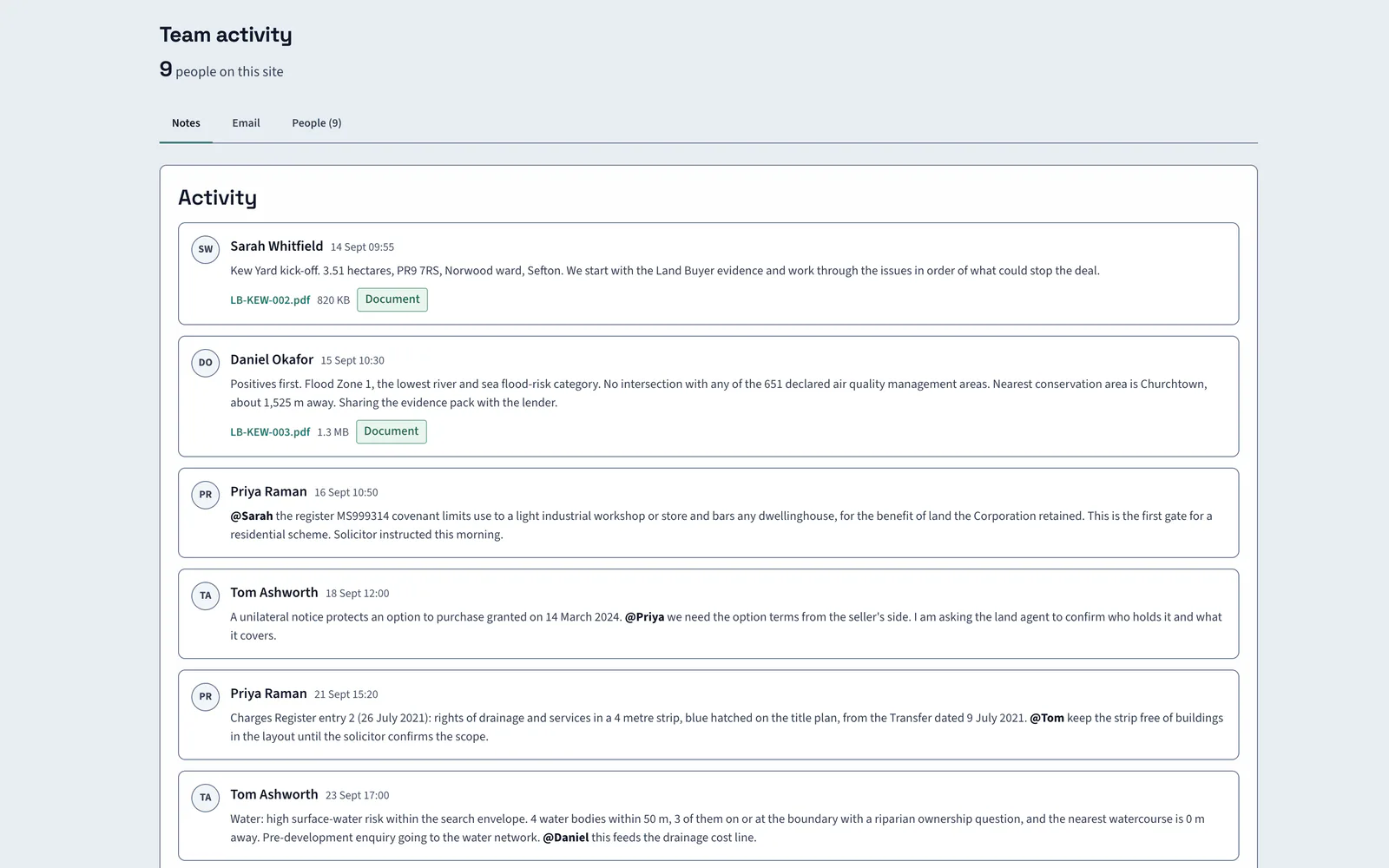
On Kew Yard the notes run from kick off to the covenant, the option notice and the drainage strip, each with the colleague asked to act.
AI insight
The recorded covenant limits use to a light industrial workshop or store and prohibits any dwellinghouse. A housing scheme would need it released or modified.
In the report
Send the report from where the work is
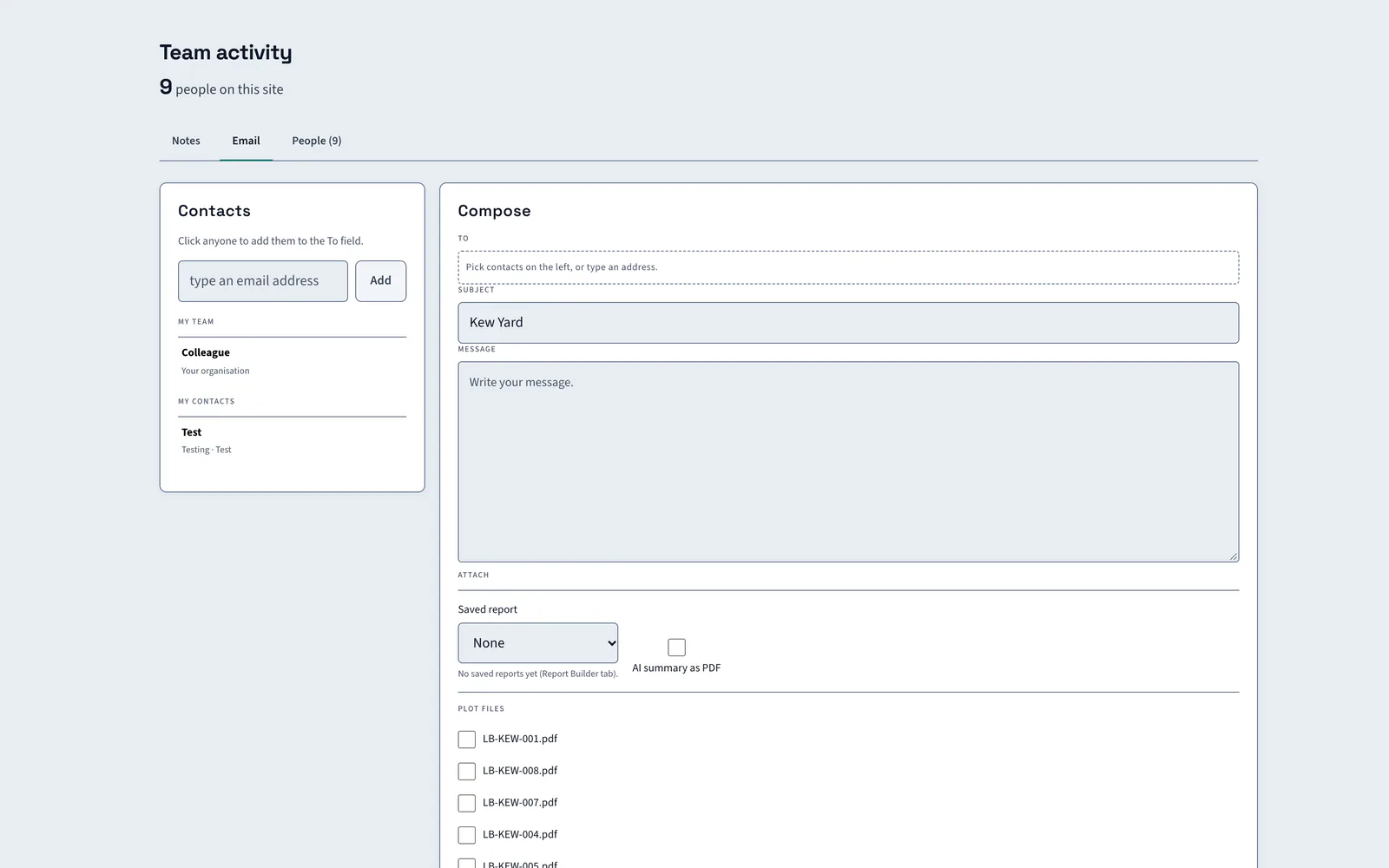
Open the Email tab, choose a contact or add any address, and attach a saved report, the AI summary as a PDF or files from the site. Built reports can also be emailed with the PDF.
FAQ
Team activity and pipeline questions
Short answers to what land teams ask us before a demo.
Can the whole team work on the same site?
Yes. Everyone added to a site sees its notes, files and emails. Mention a colleague in a note to bring them in, and attach documents so the team works from the same evidence.
Can we send reports to agents, landowners or lenders?
Yes. From the Email tab, send a message to a site contact or any address you add, with a saved report, the AI summary as a PDF or site files attached.
Does the pipeline show every site?
Yes. Every site you or your team have saved is tracked from first look to completion, in stages such as sourcing, appraising, offer and legal. Moving a site updates it for everyone assigned.
Can we download reports as well?
Yes. A built report downloads as PDF, Word or HTML, or it can be emailed with the PDF attached.
Keep exploring