
LandBuyer AI

Support from the team that builds it

Questions answered by the people who build LandBuyer AI, and changes made by our own developers.

Kew Yard, a sample site, from red line to verdict.
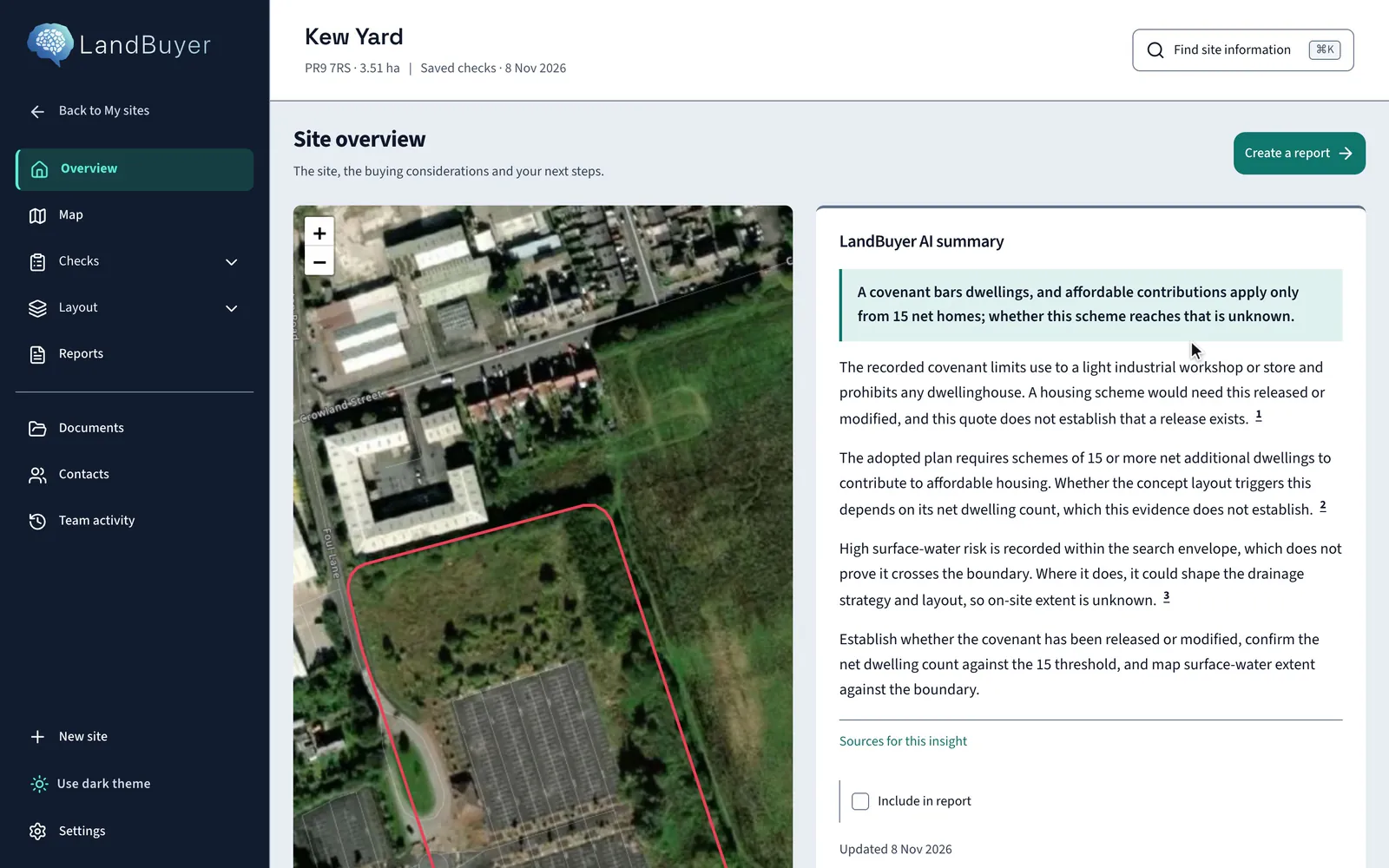
The red line on the map, then the overview, where the AI summary leads with the covenant that bars dwellings.

In short

LandBuyer AI support comes from the team that builds it. Your company is set up with its brand, house library, site specification and scoring priorities, and your questions go by email to the same team. Smaller changes to your own instance are made by our developers for free.

Support

How land software support works

  • Set up for your company

    Brand, house library, site specification and scoring, set with you.

  • Demo on your own site

    See every check run on a site you are working on before you start.

  • Questions by email

    Write to the team at sahilB@lanceabot.ai.

  • Changes to your instance

    Smaller changes free, one quote for larger ones.

Getting started

Set up around how you buy land

Onboarding sets LandBuyer AI for the way your team reads a site, then we load your brand, house types, site specification and scoring priorities.

  • Reader set at onboarding, such as land buying or lender
  • Company brand on every report
  • Your house types in the plot builder
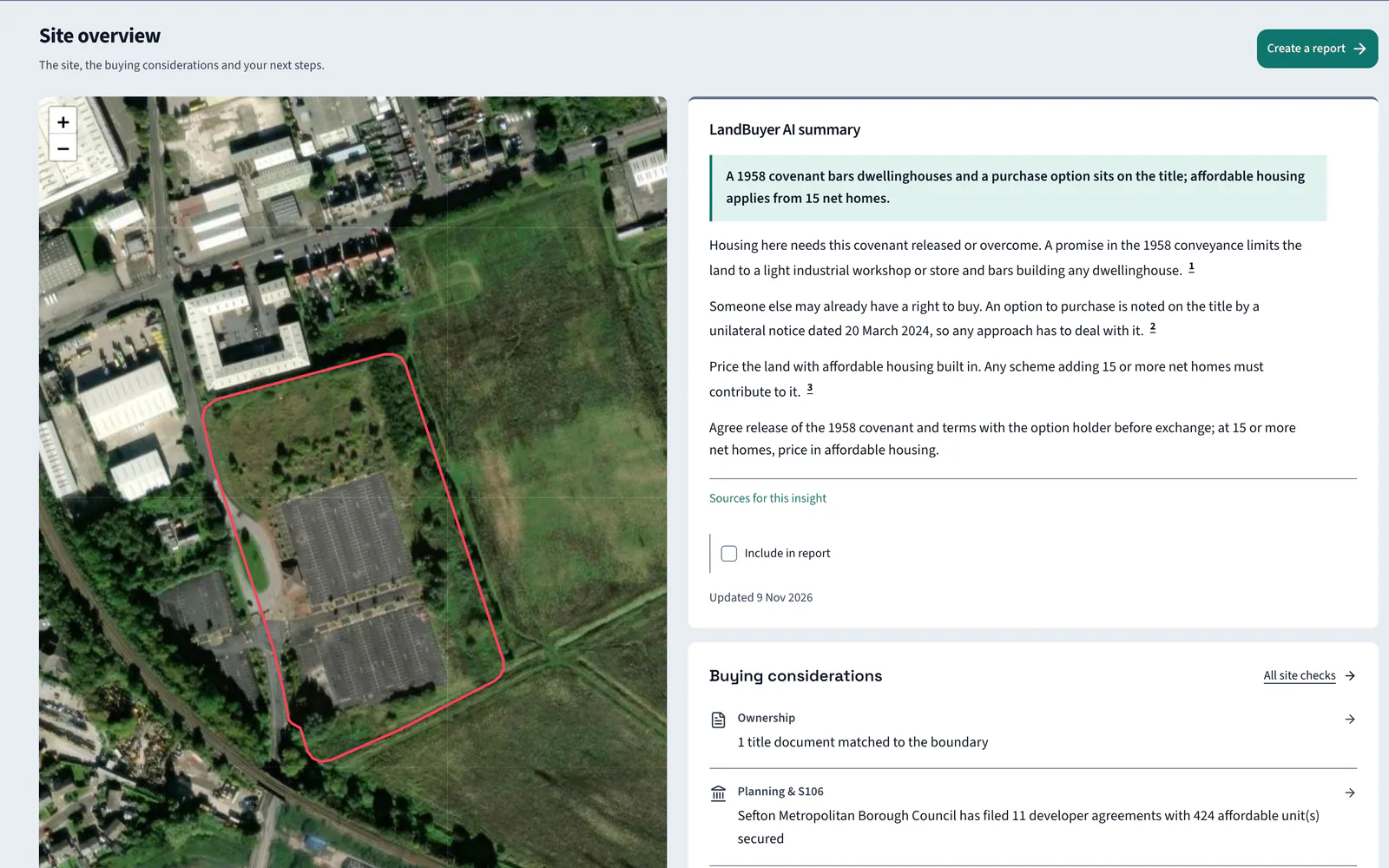
The site overview your team starts from.
Kew Yard overview with the red line map beside the LandBuyer AI summary

On live sites

Help on the sites you are deciding on

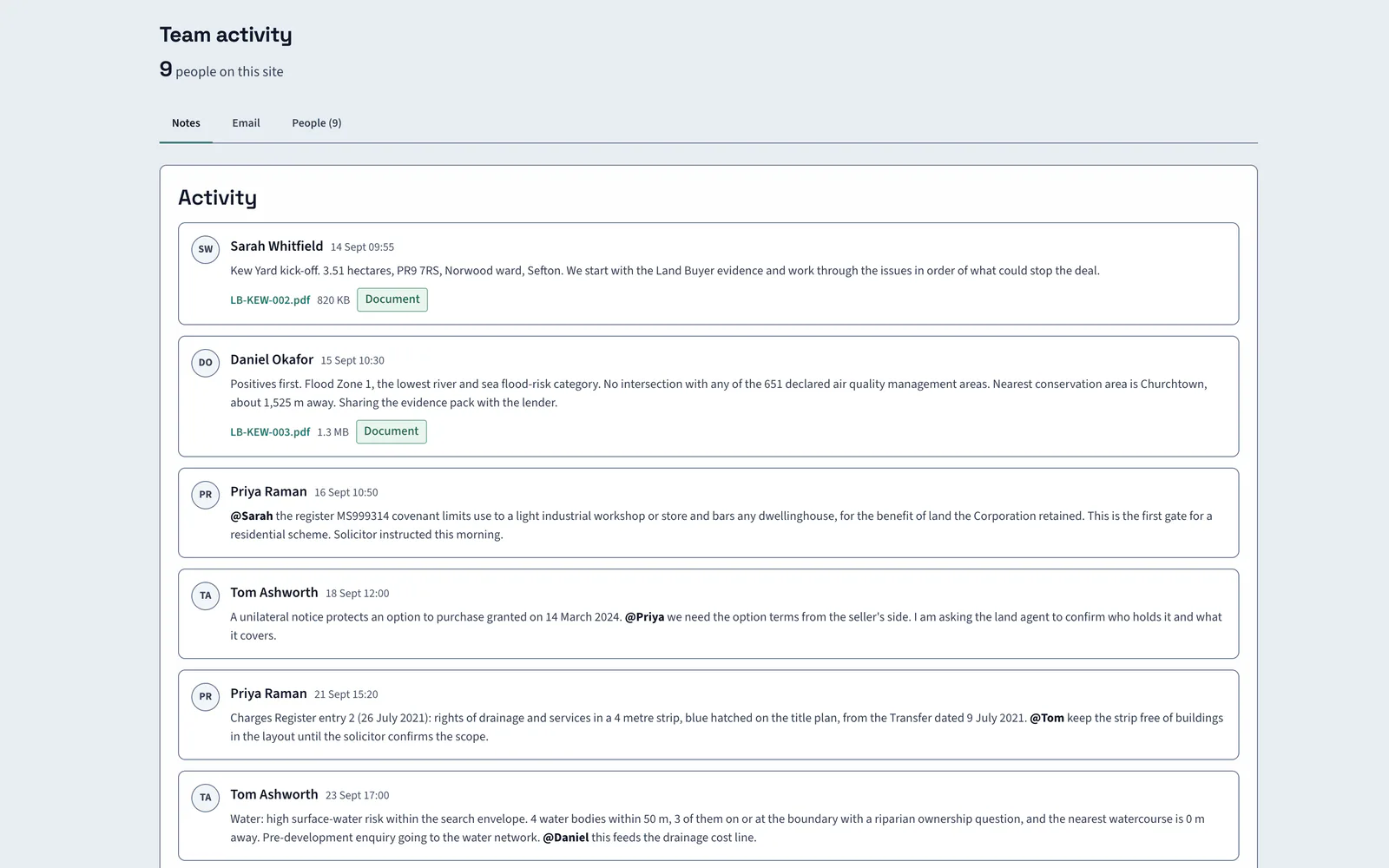
Questions about a finding, a source or a report go to the team that builds the checks. Your team keeps its notes and files for each site in team activity.

Team activity on Kew Yard.
Kew Yard team activity feed with notes from team members about the covenant, option and drainage strip

Changes on request

Changes made by our own developers

Tell us what your land process needs. Our developers make smaller changes to your instance for free, quote once for larger ones, and build them into your own LandBuyer AI.

  • Smaller changes made for free
  • One quote for larger changes
  • Built into your own instance

FAQ

Questions about support

Short answers to what land teams ask us before a demo.

How do I contact LandBuyer AI support?

Email sahilB@lanceabot.ai. Tell us the site and the screen you are on, and the finding or report you are asking about, so the team that builds LandBuyer AI can look at the same thing.

Do you help set up our company?

Yes. Your brand, house library, site specification and scoring priorities are set for your company, so every check, layout and report uses them from the first site your team adds.

Can we ask for a change to LandBuyer AI?

Yes. Our developers make smaller changes for free and quote once for larger ones, then build them into your own instance.

Where can we see how each check works?

Every check and feature has its own page on this website, showing what it reads, what you see on screen and a worked example on Kew Yard, our sample site, so your whole team can learn it.

Book a demo

Book a demo on your own site

Give us a site you are looking at. We run the checks on it and show you the result.

  • Send your name, company, telephone and email.
  • We call to collect the red line for your site.
  • We run every check on it with you.

Enter your name.

Enter your company name.

Enter a telephone number we can call.

Enter a valid work email address.