
Features
Personalised land insights from the first site
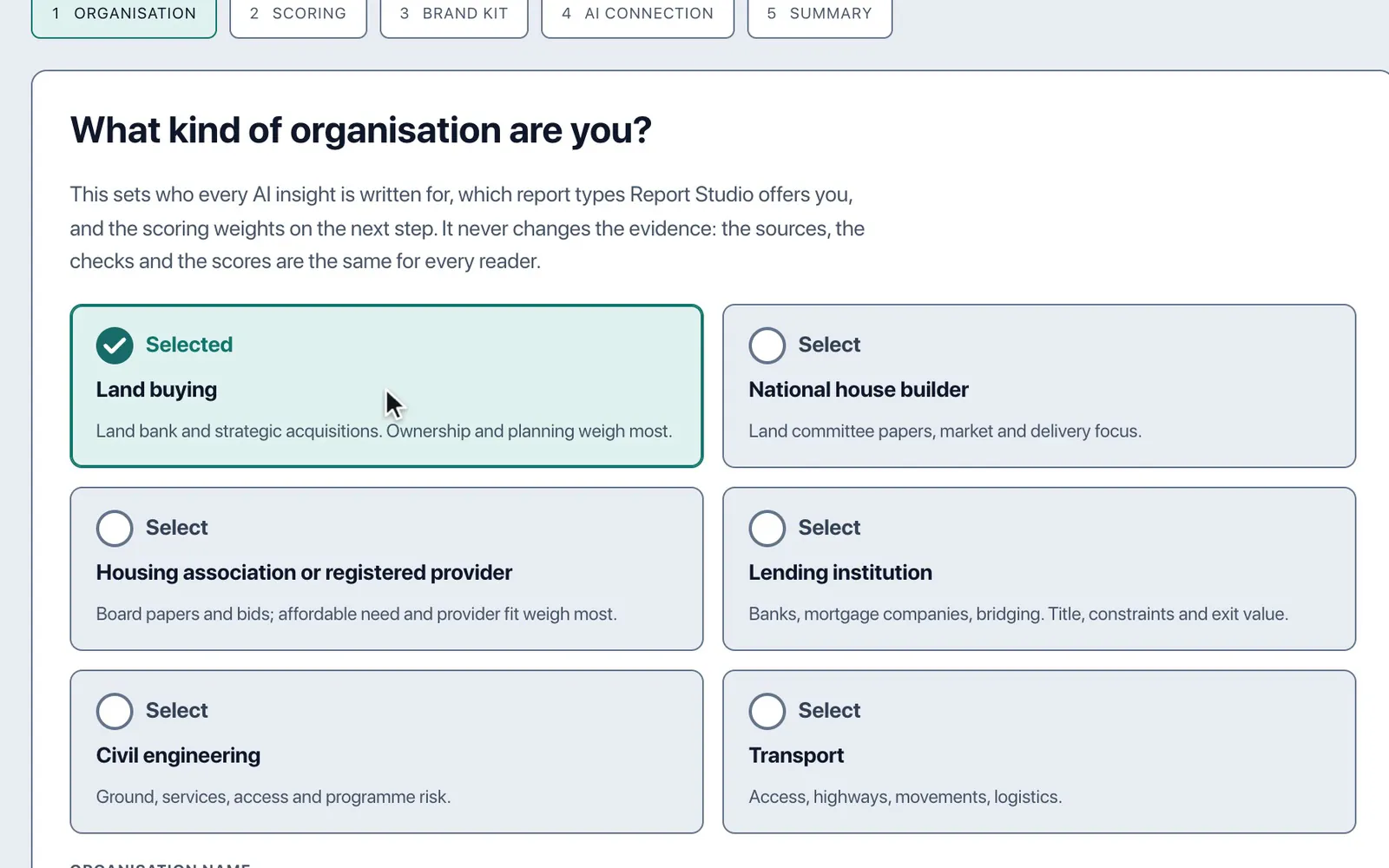
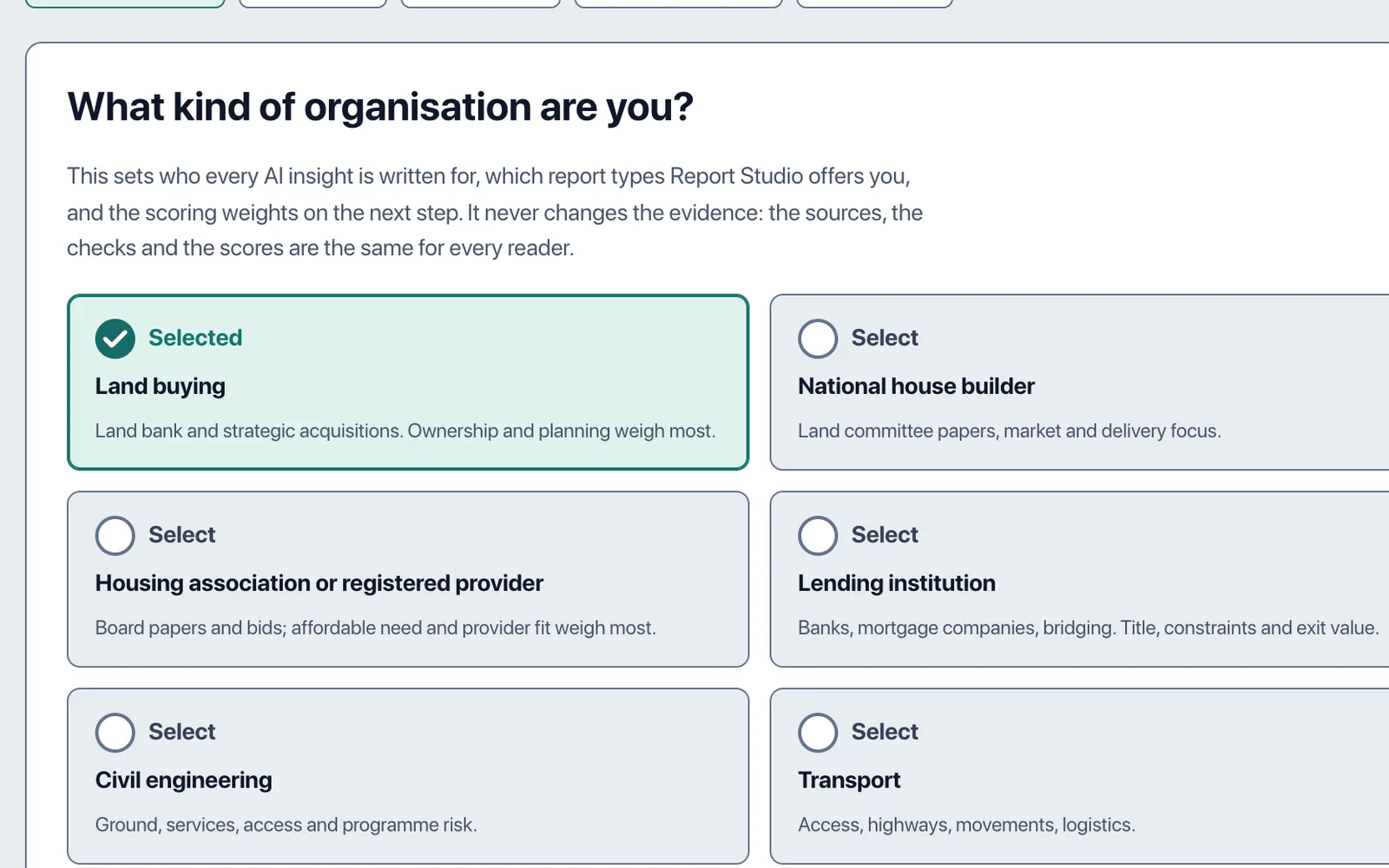
Five short steps set LandBuyer AI for the way your organisation reads a site, before you add one.
In short
Onboarding sets LandBuyer AI for your organisation in five steps: your reader type, your scoring, your brand kit, the AI connection and a summary. The reader type, such as land buying, national house builder, housing association or lender, frames the checks, insights and reports for the decision your team makes.
What it covers
What the onboarding covers
| Item | Source type | What you see |
|---|---|---|
| Reader type | Your organisation | Who every AI insight is written for, the report types offered and the scoring weights |
| Scoring | Your priorities | The weights your site scores use |
| Brand kit | Your brand | The logo and colours on every report |
| Summary | Your choices | Everything you set, to check before you start |
| Housing association setup | Reader type | Checks and reports framed for a provider deciding on the affordable homes |
| Lender setup | Reader type | Checks and reports framed for a credit decision |
| Company settings | After onboarding | House library, site specification and scoring, kept for every site you add |
On Kew Yard
One site, read the way your team reads it
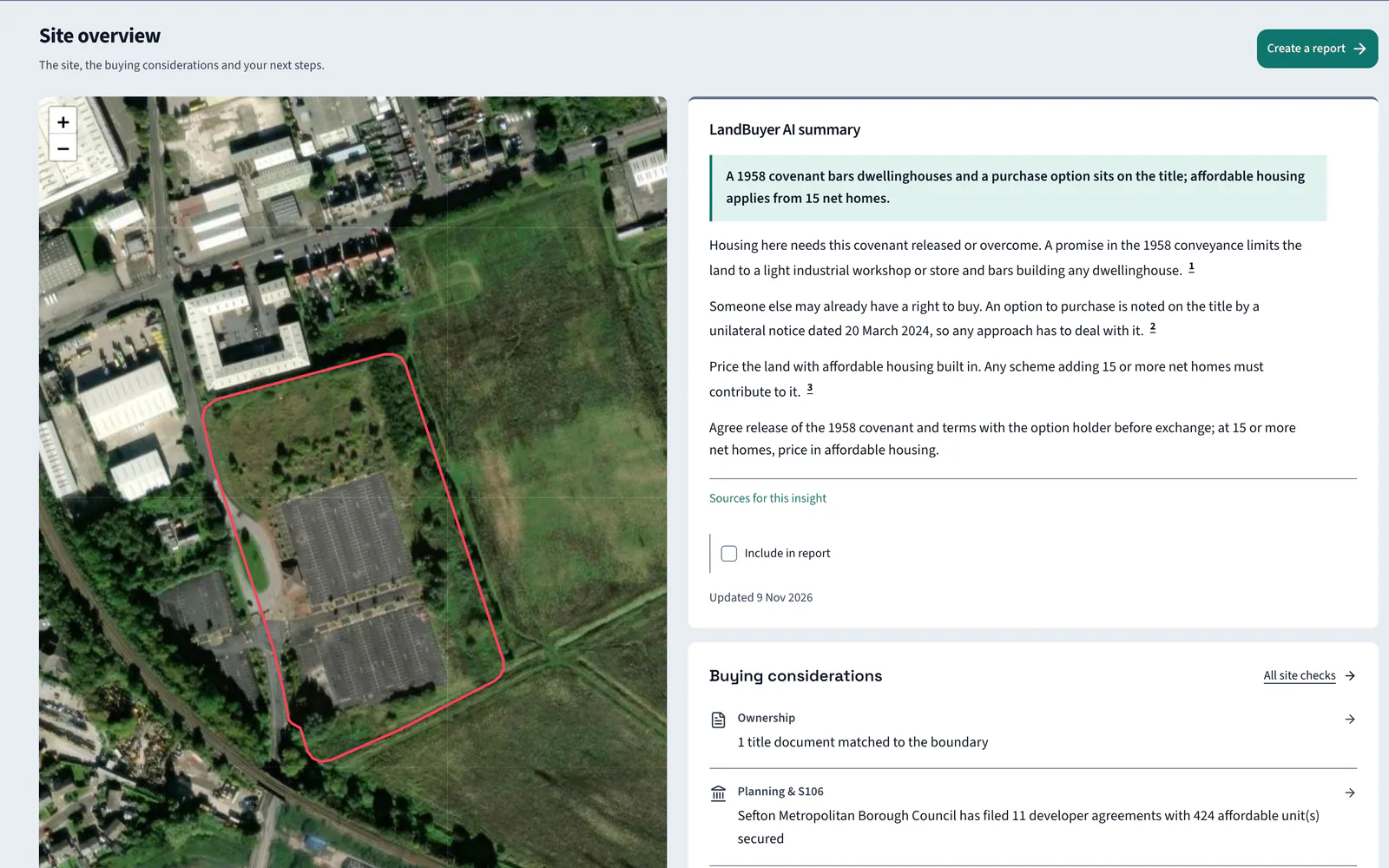
Kew Yard is set up for a land buying team. Its score uses a land buying weighting, and its overview leads with the deal breaker for a housing scheme.
AI insight
A covenant bars dwellings, and affordable contributions apply only from 15 net homes; whether this scheme reaches that is unknown.
In the report
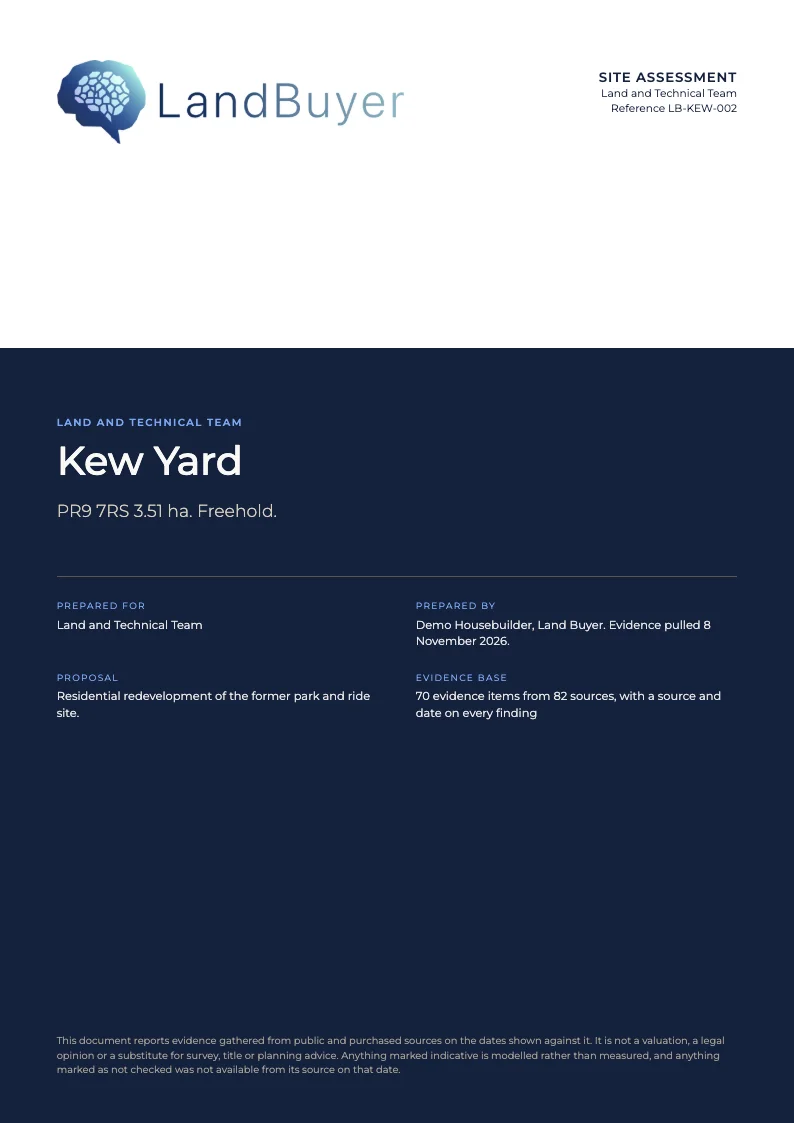
Your brand kit on every report
The brand kit set at onboarding goes on every report LandBuyer AI drafts, from the cover to the last page. You can change it later in your company settings.
FAQ
Onboarding questions
Short answers to what land teams ask us before a demo.
Which reader types can we choose?
Land buying, national house builder, housing association or registered provider, lending institution, civil engineering and transport. Planning consultants and land promoters use land buying, with every check and report available to them.
Does the reader type change the evidence?
No. It sets who every AI insight is written for, which report types you are offered and the scoring weights. The sources, the checks and the scores are the same for every reader.
Can we change these settings later?
Yes. Your scoring priorities, brand and house library are company settings you can update at any time, and our developers make smaller changes to your instance for free.
Is there a setup for housing associations and lenders?
Yes. Housing association and lender are reader types of their own, so the checks and reports are framed for an affordable housing or a credit decision. Each has its own page on this website.
Keep exploring