
LandBuyer AI

Seats for your team, credits for paid records

Your seat covers the checks, insights, layouts and reports. Credits are only for records that cost money to pull.

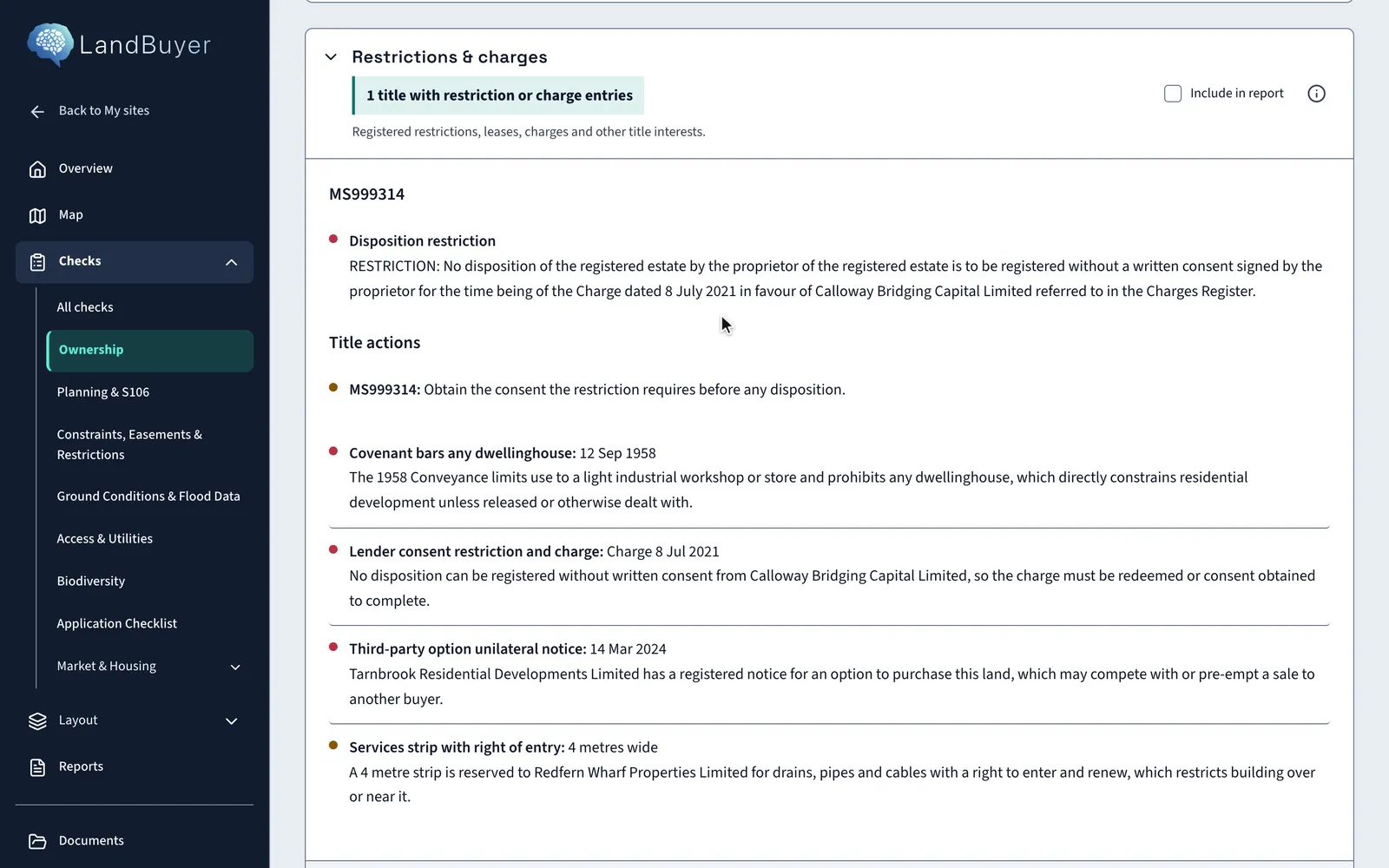
Ownership on Kew Yard, a sample site.
The title parcels map and AI insight, then Restrictions and charges opens on the covenant that bars dwellings.

In short

Each LandBuyer AI user has a seat that covers every check, AI insight, layout and report. A small set of records costs money at source, so they use credits: title documents, owner reveals, ownership scans and planning application records. You preview the matches first and choose which to open, and saved information is shown without buying it again.

Credits

Which land records use credits

  • Title documents

    Official copy registers and title plans for the titles on your red line.

  • Owner reveals

    A contact route for a landowner when you are ready to approach them.

  • Ownership scans

    Ownership across the parcels around a site, for assembly and access.

  • Planning application records

    Full records for nearby applications you choose to open.

You choose what to open

Pay for the records you need, nothing else

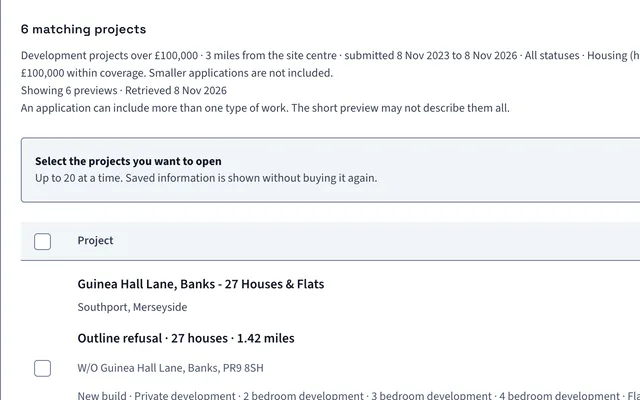
LandBuyer AI shows the matching records first. You select the ones you want, up to 20 at a time for planning applications, and only those use credits.

  • Previews before you spend a credit
  • Up to 20 planning records opened at a time
  • Saved information is shown without buying it again
Choose the planning records to open on Kew Yard.
Kew Yard planning search listing matching projects with checkboxes to choose which full records to open

Owners and contacts

Owner contact when you are ready to approach

The registered proprietor is shown from the title register. A contact route for the owner is revealed with a credit, so you only pay when a site is worth a conversation.

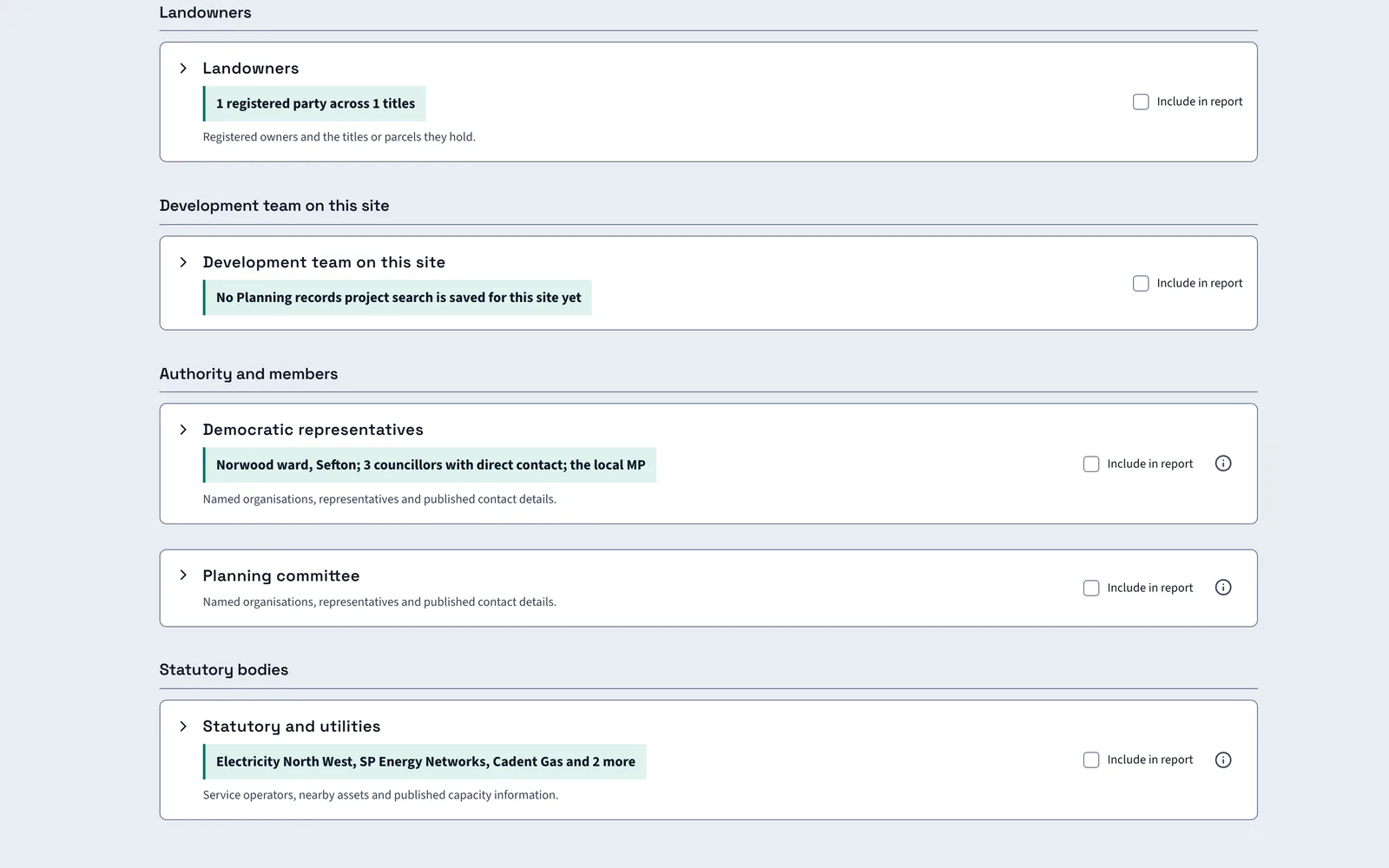
Key contacts on Kew Yard.
Kew Yard key contacts with landowners, authority and members, and statutory and utilities groups

The figures

We take you through costs on the demo

Seat and credit figures depend on your team and the records you use most. We go through them with you on the call, using a site you are working on, so you see which records that site would need.

  • A seat for each user
  • Credits for paid records only
  • Figures on the demo call

FAQ

Questions about credits

Short answers to what land teams ask us before a demo.

What does a seat include?

Every check, AI insight, indicative layout, site score and report for the sites you add, plus team activity and key contacts. Credits are only for records that cost money at source.

Which records use credits?

Title documents, owner reveals, ownership scans and planning application records. LandBuyer AI shows you the matches first, so you choose which ones are worth opening.

Am I charged again for a record I already opened?

No. Once a record is saved to a site, LandBuyer AI shows the saved information without buying it again.

How much does LandBuyer AI cost?

It depends on the number of seats and the records your team uses. We take you through the figures on the demo call.

Book a demo

Book a demo on your own site

Give us a site you are looking at. We run the checks on it and show you the result.

  • Send your name, company, telephone and email.
  • We call to collect the red line for your site.
  • We run every check on it with you.

Enter your name.

Enter your company name.

Enter a telephone number we can call.

Enter a valid work email address.